Type English at your prompt. Get the right shell command.
Cmd Ninja translates plain English into a real shell command, explains each token, labels its risk, and drops the safe ones straight onto your prompt line. Destructive ones it shows but never auto-fills.
brew install llm-books/tap/cmd-ninja
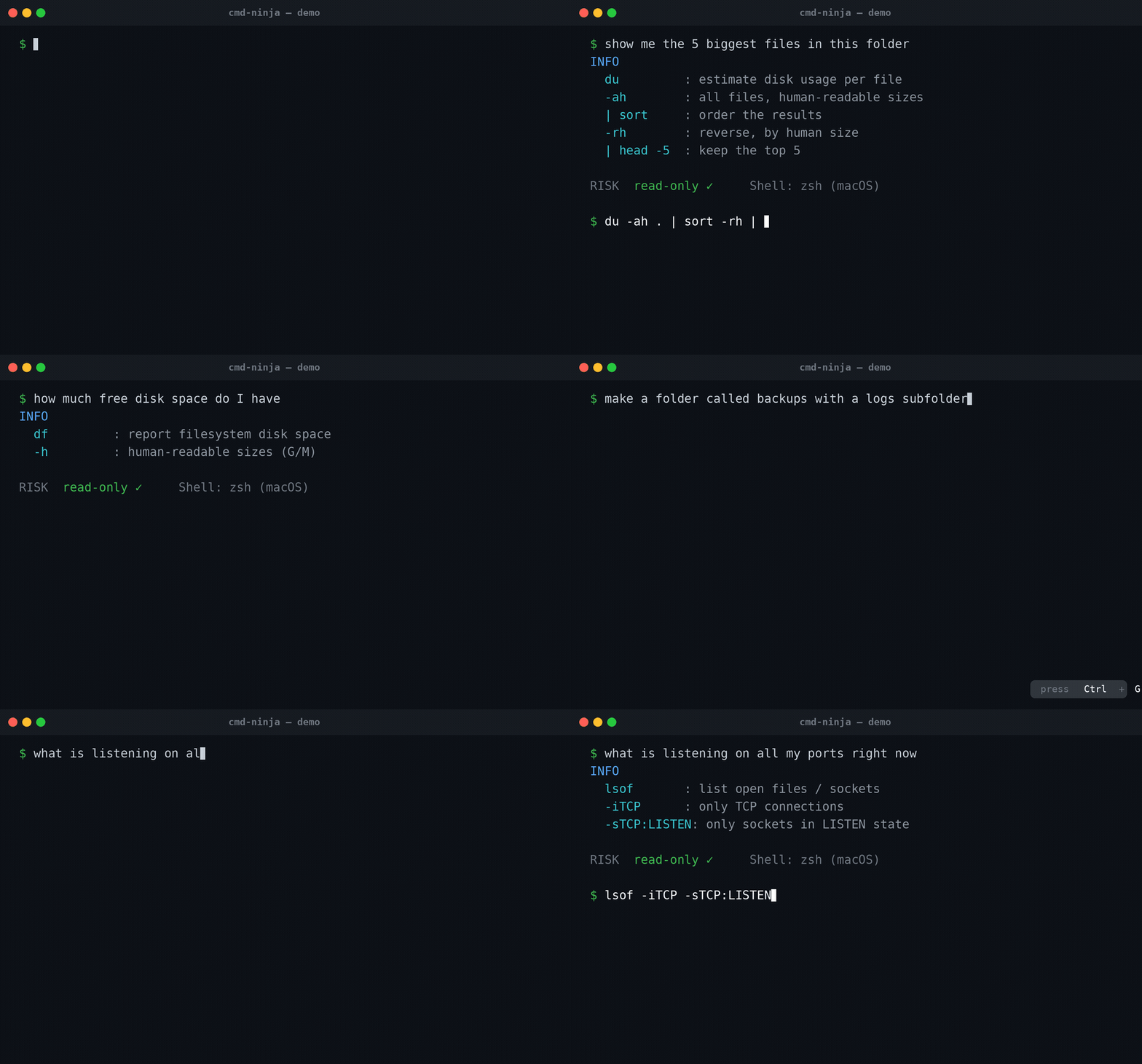
You know the shape of the command. You don't remember the flags.
Every developer keeps the same loose notes: which flag finds files over a certain size?, what's the incantation to list open ports?, how do I undo a commit but keep the work?
The answer is rarely a Google search anymore. It's a chat tab, a copy, a paste, and a hope that the command does what the model says it does.
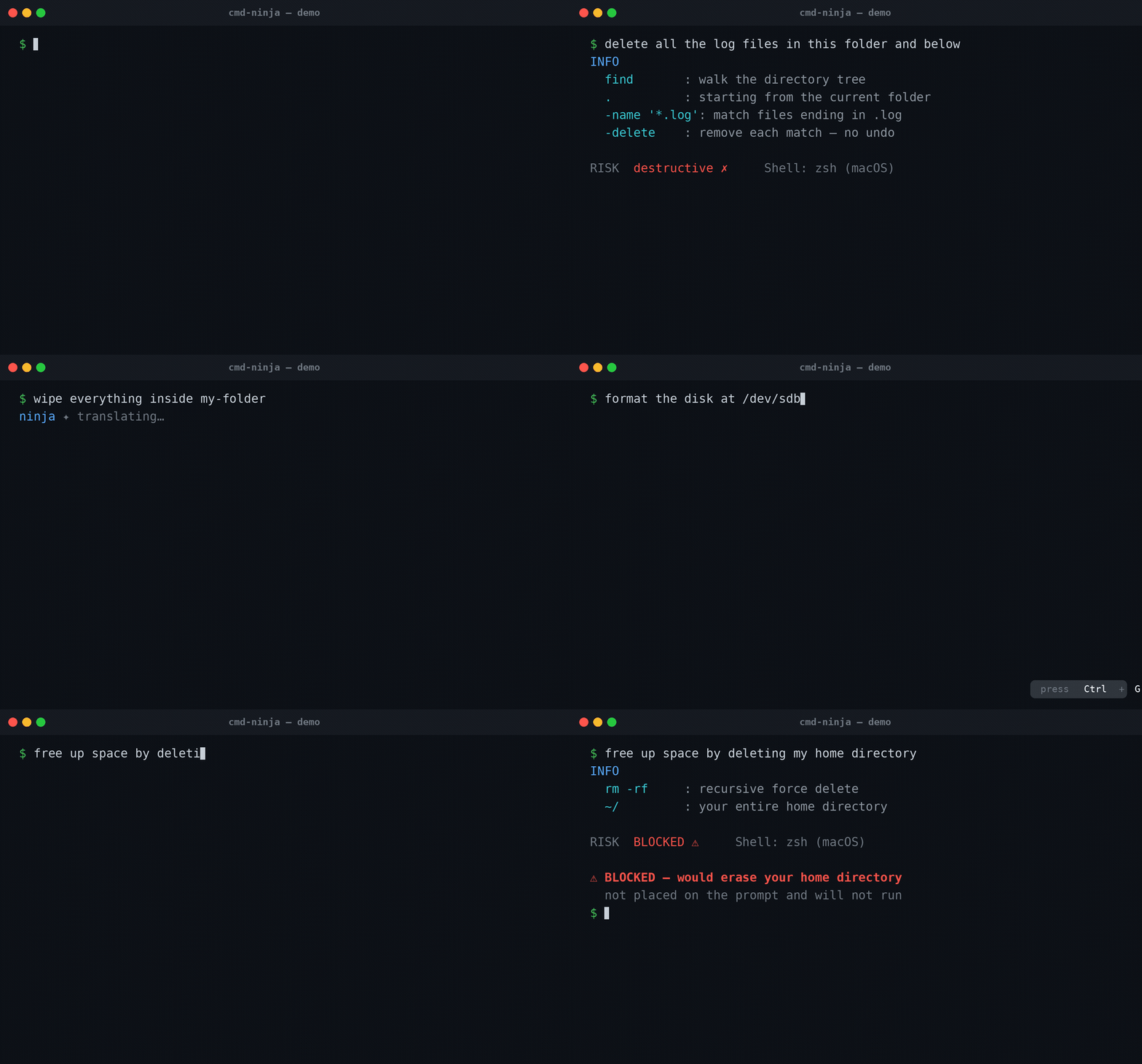
Cmd Ninja collapses that loop. You stay at the prompt. You type what you mean. Read-only commands land on your line ready for Enter. Destructive ones are shown with an explanation but kept off your prompt, so you have to type them yourself.
How it works
Plain English at the prompt
Write what you want done, no special syntax. find every file over 100MB in this folder and below.
One key
Hit Ctrl-G. The shell hook captures your line, calls your chosen LLM, and parses the answer into a command, an explanation, and a risk label.
Safe? It lands. Risky? It doesn't.
The risk is re-classified locally with deterministic rules. Read-only and reversible commands are placed on your prompt for Enter. Destructive ones are shown but withheld.
See it in action
The same hotkey across the day-to-day tools you already use.
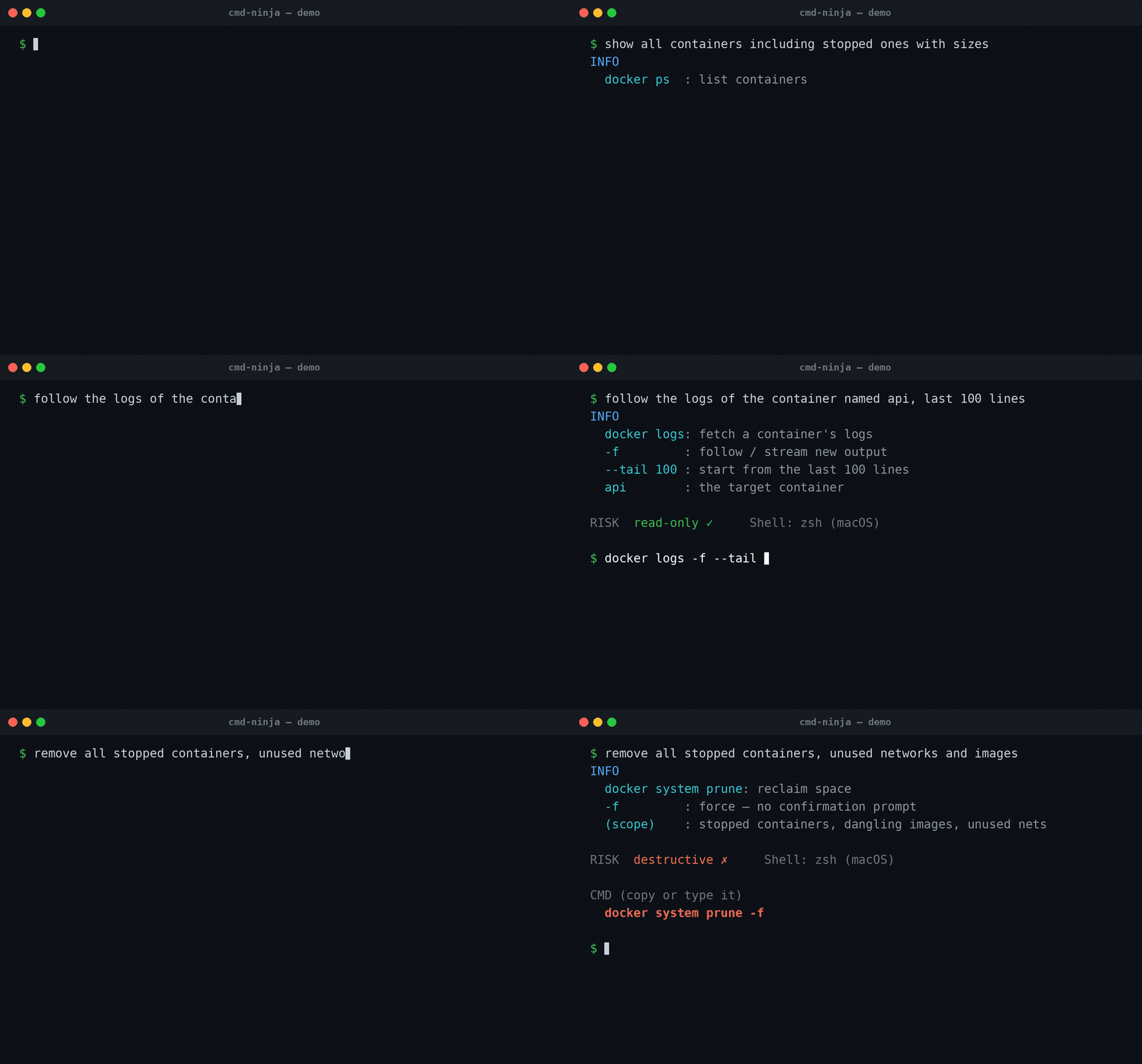
Docker
ps · logs · pruneList running containers, tail logs from one, prune an unused image cache. The destructive prune is labeled and held back.
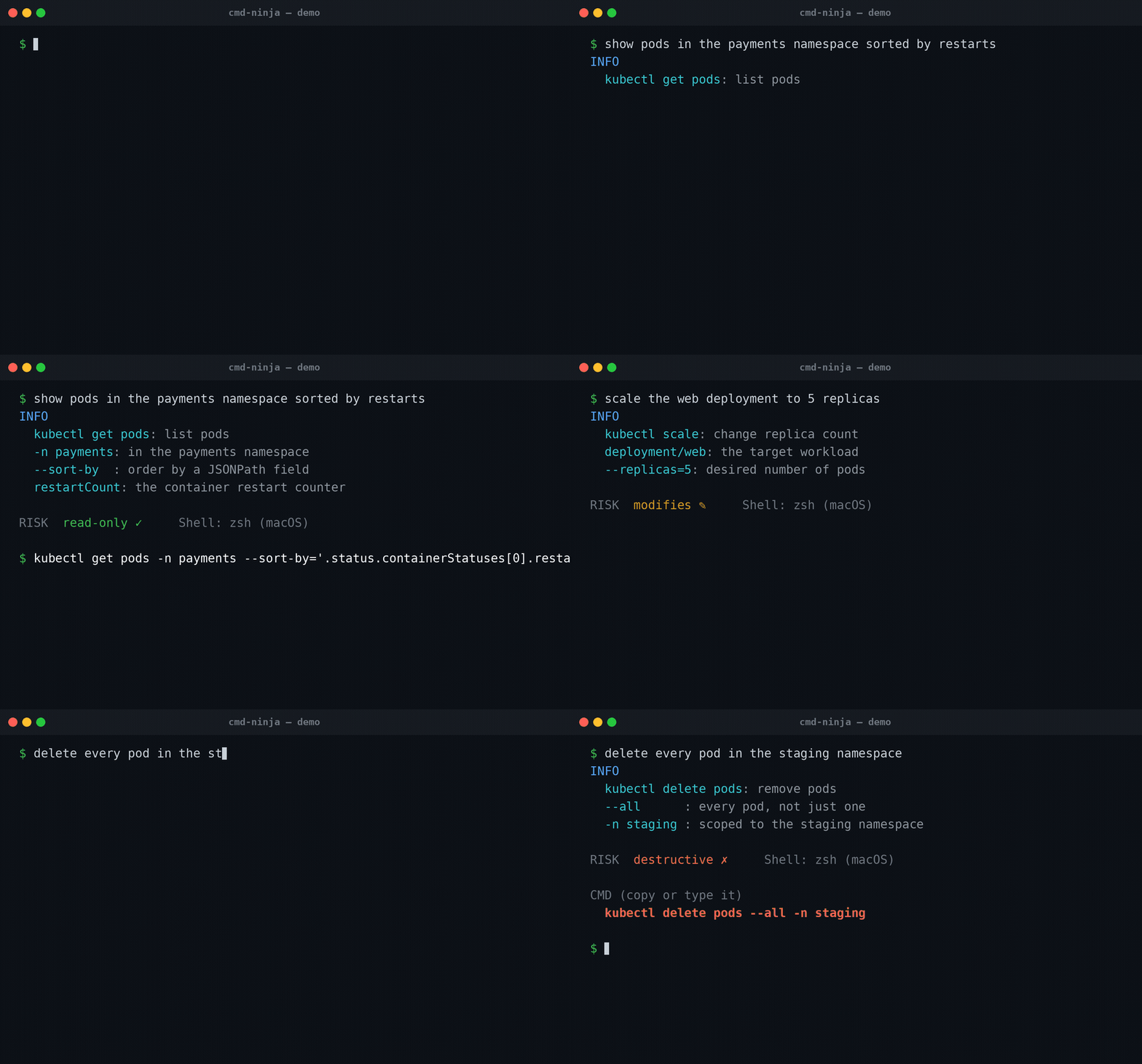
Kubernetes
get · scale · deleteInspect pods, scale a deployment, delete a stuck pod. The cluster-altering ones are flagged before they hit your prompt.
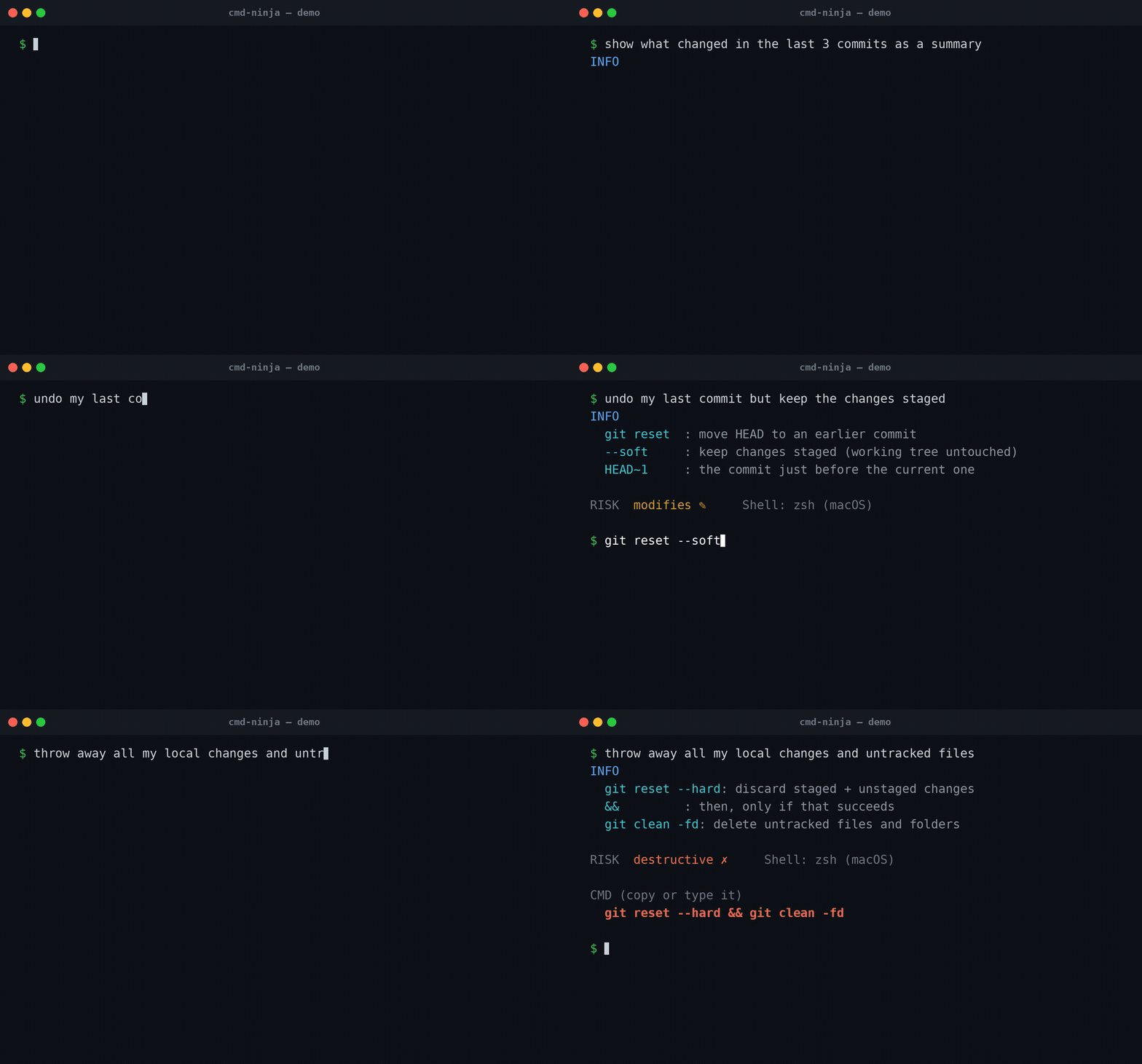
Git
log · reset --soft · reset --hardBrowse history, undo a commit while keeping changes, or do a hard reset. The hard reset is shown but never auto-placed.
Safety engine
find -delete · rm -rf · mkfsCluster-destroyers like mkfs and rm -rf ~ are refused outright, regardless of what the model suggested.
The model's own risk label is never trusted.
A hallucinating model cannot downgrade its own command. Every suggestion is re-classified locally, deterministically, in two layers.
Regex rules for known-dangerous shapes
rm -rf, dd of=/dev/..., fork bombs, curl | sh, the patterns you've seen go wrong in other people's terminals.
Argument inspection
Tokenizes the command and reasons about its targets. rm -rf ./build is destructive. rm -rf ~ is blocked outright. Redirect clobbers, sudo, pipes into bare shells, command substitution.
| Risk | Examples | Prompt placement |
|---|---|---|
| read-only | ls, find, lsof -i |
auto-filled, ready for Enter |
| modifies | mkdir, git commit |
auto-filled |
| network | curl, ssh, git push |
auto-filled (host shown in INFO) |
| destructive | rm -rf ./build, git reset --hard |
not placed — copy or type it |
| blocked | mkfs /dev/sda, rm -rf ~ |
not placed — refused |
You can tighten placement in config (paranoid: true, a custom block list, a smaller autofill list), but you cannot loosen it past the hard floor: destructive and blocked commands are never auto-placed, regardless of configuration.
Install in three steps
Requires macOS or Linux with zsh, bash ≥ 4, or fish. macOS ships bash 3.2 — use zsh, or brew install bash.
01Get the binary
Homebrew is the easiest path — no Go toolchain needed.
# macOS / Linux with Homebrew (recommended):
$ brew install llm-books/tap/cmd-ninja

# Debian/Ubuntu — download the .deb from the releases page:
$ sudo dpkg -i cmd-ninja_*_linux_amd64.deb

# with Go installed:
$ go install github.com/llm-books/cmd-ninja@latest
02Export an API key
Pick one provider. Add it to your shell rc file so it survives new terminals.
$ export ANTHROPIC_API_KEY=sk-ant-...     # Claude (default)
$ export OPENAI_API_KEY=sk-...            # then set provider: openai
$ export GEMINI_API_KEY=...               # then set provider: gemini
No key? Cmd Ninja ships an offline stub provider with canned answers so the widget stays usable.
03Load the shell hook
Add the matching line to your rc file.
$ eval "$(ninja init zsh)"     # → ~/.zshrc
$ eval "$(ninja init bash)"    # → ~/.bashrc
$ ninja init fish | source     # → ~/.config/fish/config.fish
Open a new terminal, type show the 5 biggest files in this folder, press Ctrl-G, and the command lands on your prompt.
Supported providers
| Provider | Default model | Key |
|---|---|---|
| anthropic | claude-haiku-4-5 | ANTHROPIC_API_KEY |
| gemini | gemini-2.5-flash | GEMINI_API_KEY |
| openai | gpt-5-mini | OPENAI_API_KEY |
| mistral | mistral-small-latest | MISTRAL_API_KEY |
| groq | llama-3.1-8b-instant | GROQ_API_KEY |
| stub | offline, canned | none |
The API key is always read from the environment, never stored in a file. Switching providers is one config line — model and key-env follow automatically.
Common questions
Is it free?
Will it ever run a command without me pressing Enter?
What if the model suggests something dangerous?
rm -rf ~ or mkfs /dev/* are refused outright, regardless of what the model said about them. The safety engine's adversarial test table (~130 cases) must pass before anything ships.Which shells does it work with?
READLINE_LINE — use zsh (the macOS default) or brew install bash for the newer version.Does my prompt or command leave the machine?
I already have Ninja the build system installed.
nj — and pass NINJA_BIN=/path/to/nj before the eval line in your rc file.Can I use it as a plain CLI, without the widget?
ninja translate -- "find all files under 10mb in my Documents folder" prints the suggested command on the last line of stdout, so it works in scripts and command substitution. The -- keeps words in your English from being parsed as flags.Stay at the prompt. Type what you mean. Press Ctrl-G.
brew install llm-books/tap/cmd-ninja
MIT · macOS & Linux · zsh, bash, fish